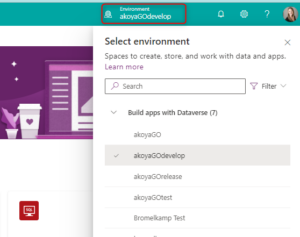
Certain sessions require specific prerequisites for participation. To ensure a smooth and productive experience, we kindly request all attendees carefully review the prerequisites for all registered sessions. To facilitate this process, please follow the steps below to easily confirm your prerequisites.
To view which akoyaGO user role you have, please consult the CRM for Administrators GOsupport video resource. To better understand the difference between the roles, please reference the CRM Standard User Roles GOsupport knowledge article.
akoyaGO + Accounting
Team User
Administrator
akoyaGO (without Accounting)
Team User
Administrator
GOmanager / GOapply Admin
Open the GOapply application.
Click on “Form Editor” to ensure you have access to GOapply Admin .
Ensure you have permission to access the site and the environment that does NOT end in (default). ** PowerAutomate is included with your PowerApps License. However, users will need the akoyaGO Customizer role to access.
Power Platform Admin Center
Access the Power Platform Admin Center by ensuring you have Admin Access and Access to PowerApps.