


Monday, July 20th through Wednesday, July 22nd at The Westin Indianapolis
View the Overview Schedule below and stay tuned for the finalized, detail session schedule to come.
Registration for EMPOWERED 2026 is OPEN.
We hope you can join us for the foundation software event of the year!
MONDAY JULY 20
Afternoon
3:00 – 4:00
4:15 – 5:00
5:00 – 6:00
6:00
Conference Check-In
Function-Focused Icebreakers
Join these facilitated icebreaker sessions to connect with peers in similar roles, providing an opportunity to share experiences, discuss challenges, and build valuable connections before the conference kicks off.
Opening Session
Welcome Reception – The Westin Book Cadillac Detroit
Explore & Dine
Enjoy dinner on your own and explore the city.
10:00 – 2:00 pm
1:00 – 3:00 pm
Pre-Conference Walking Tours with Indiana Landmarks
Conference Check-In at The Westin Indianapolis
3:00 – 4:00 pm
Function-Focused Icebreakers
Join these facilitated icebreaker sessions to connect with peers in similar roles, providing an opportunity to share experiences, discuss challenges, and build valuable connections before the conference kicks off.
Administration
Finance & Accounting
All akoyaGO Users
Private Foundations
4:15 – 5:00 pm
5:00 – 6:00 pm
6:00 pm
Opening Session
Welcome Reception – The Westin Indianapolis
Explore & Dine
Enjoy dinner on your own and explore the city. Recommendations from Visit Indy and the akoyaGO team.
TUESDAY JULY 21
Morning
Afternoon
Evening
Breakfast
Keynote & Breakout Sessions
GOsupport Express
In between sessions, drop by an open station for a quick, one-on-one conversation with an akoyaGO team member.
Lunch
Keynote & Breakout Sessions
GOsupport Express
In between sessions, drop by an open station for a quick, one-on-one conversation with an akoyaGO team member.
Dinner & Social – Outdoor Adventure Center
8:00 – 8:45 am
9:00 – 10:00 am
Breakfast
Breakout Sessions
9:00-10:00 am
Learn more about Connecting donors and grantees by utilizing the full moves management cycle in akoyaGO.
Objectives
1. Utilizing donor opportunities and funding opportunities
2. Categorizing data with interests, programs, and service areas
3. Tracking and reporting moves management across akoyaGO products
4. Foundation specific examples
Not Your Average Letter: Supercharged Templates with Sub-Grids
Learn how to create and use letter templates effectively, including advanced features like sub-grids. The session focuses on practical setup and avoiding common template issues.
Objectives
1. Using sub-grids to display related records
2. Formatting and merge-field best practices
3. SharePoint prerequisites and troubleshooting
4. Preparing templates for mailable fund statements
Learn how to set up scholarship automatching, from eligibility criteria to testing and launch.
Objectives
1. Criteria building and field mapping
2. Testing before GOlive
3. Managing requested scholarships
4. Common matching issues
ON THE LEDGE-R: The Business Central Game Show
Join industry professionals and akoyaGO staff to test your Business Central skills in an interactive game-show-style session. Impress your colleagues and learn something new along the way.
Objectives
1. Review Common Tools
2. Gain Insight into BC Processes
3. Achieve Bragging Rights
User Group: Private Foundations
This User Group is designed for Private Foundation staff looking to connect with other private foundations, trusts, and charities using akoyaGO.
This session is for users of akoyaGO (non-accounting); mostly Private, Family and Corporate Grantmakers.
Objectives
1. Peer-to-peer networking, ideating and knowledge sharing
2. Bring questions for your fellow Private Foundation peers
10:00 – 10:20 am
Product Hub
In between sessions, drop by an open station for a quick, one-on-one conversation with an akoyaGO team member.
10:20 – 11:20 am
Breakout Sessions
10:20-11:20 am
This User Group is designed for akoyaGO users who serve in donor relations departments including development, donor engagement, marketing, etc. Speak with your peers about moves management and donor management in the CRM, GOfund features, and GOdonate.
Objectives
1. Peer-to-peer networking, ideating and knowledge sharing
2. Bring questions for your fellow Donor Relations peers
Garbage In, Garbage Forever: Why Clean Data Matters
Clean data is essential for accurate reporting, effective communications, and smooth system integrations. This session focuses on practical best practices for maintaining data quality in Dynamics 365, including how duplicate detection works, how to promote consistency across your CRM, and how to handle sensitive life events like deaths and divorces.
Objectives
1. Understand and use duplicate detection rules effectively
2. Promote consistent data entry and maintenance across the CRM
3. Handle deceased and divorced constituent records with confidence and care
4. Reduce downstream issues in reporting, communications, and integrations
Scholarship automatching is more than setup—it’s about managing the process through every stage. This session walks through how to monitor status tracking records and requests, manage internal and external reviews, and confidently process, approve, or deny scholarship requests.
Objectives
1. Set up and manage automatch components
2. Monitor Status Tracking Records and Requests
3. Processing Requested Scholarships and viewing
4. Scholarship Specific Data using Requested Scholarships
5. Advance records through later phases
6. Manage notifications and communications
Business Central Tips that PAY Off
Get the most out of Business Central by learning the lingo. Discover where to find relevant information, filter for success, personalize the UI, and make simple reports.
Objectives
1. Explore Subledgers
2. Filtering Tips and Tricks
3. Learn how to Personalize
4. Simple Report Setup and Customization
The “GO” Faster Guide: AI + Shortcuts You’ll Actually Use
See how foundations are using Copilot and AI features in akoyaGO to save time and work more efficiently, along with practical shortcuts and built-in workflow efficiencies that reduce manual effort. This session focuses on real, everyday examples you can apply immediately.
Objectives
1. Everyday Copilot use cases
2. Searching and summarizing records
3. Prompting tips for better results
4. Built-in shortcuts that reduce repetitive work
5. Workflow efficiencies that save time across daily tasks
6. Data quality and validation considerations
11:20 – 11:40 am
Product Hub
In between sessions, drop by an open station for a quick, one-on-one conversation with an akoyaGO team member.
11:40 – 12:30 pm
Keynote Session by Giving USA
12:30 – 1:30 pm
Lunch
1:00 – 2:00 pm
Product Hub
In between sessions, drop by an open station for a quick, one-on-one conversation with an akoyaGO team member.
2:00 – 3:00 pm
Breakout Sessions
2:00-3:00 pm
Learn fund management best practices with a focus on generating and mailing fund statements. This session emphasizes repeatable, staff-friendly processes.
Objectives
1. Generating fund statements
2. Assigning formats and cover letters
3. Mailable statement workflows
4. Quality checks before distribution
Automate Without Regret
Learn how to streamline communications in akoyaGO using workflows and email templates—without losing control. This session covers the difference between automated and on‑demand workflows, how emails behave inside workflows, and the best ways to use email templates both within and outside of automation.
Objectives
1. Create and manage email templates for reuse
2. Call email templates from workflows the right way
3. Decide between automated vs. on‑demand workflows
4. Send email templates outside of workflows when automation isn’t the best fit
Build confidence troubleshooting GOapply submissions. Learn how to identify where issues occur and how to support applicants effectively.
Objectives
1. Common user and configuration errors
2. Status tracking stages explained
3. Using diagnostics tools
FEE-For-All: Build Your Own Fund Fees
Learn how to build, test, and maintain fund fee formulas using the new formula builder (coming soon!). This session is designed to help foundations confidently move to the updated fee formula tool.
Objectives
1. Fund fee formula components and logic
2. Testing formulas before GOlive
3. Handling exceptions and special funds
4. Why moving to the new format matters
User Group: Grants & Scholarships in GOapply
This User Group is designed for team members utilizing GOapply and akoyaGO for grants and/or scholarship management as well as reviewers.
Objectives
1. Share successes that you’ve had using GOapply for your grant/scholarship cycles
2. Crowd source suggestions/feedback on any challenges you’ve encountered
3:00 – 3:20 pm
Product Hub
In between sessions, drop by an open station for a quick, one-on-one conversation with an akoyaGO team member.
3:20 – 4:20 pm
Breakout Sessions
3:20-4:20 pm
From Promise to Payment: The New Pledge Process
Walk through the redesigned pledge process, including what has changed, what remains the same, and how pledges appear in CRM and Business Central.
Objectives
1. End-to-end pledge walkthrough
2. Adjustments and write-offs
3. Differences for new vs. pre-existing pledges
4. Applying GOdonate gifts to a pledge
AI That Actually Helps
AI can absolutely save time in foundation work — if you use it safely and in the right places. This intermediate session is for non-technical users who already understand their workflows and want practical, repeatable ways to use AI for everyday tasks like drafting communications, summarizing notes, organizing data, and improving consistency. We’ll focus on real scenarios for grants management, scholarship programs, donor relations, and finance/admin, using Microsoft tools you likely already have.
Objectives
1. Identify “good AI tasks” vs. “risky AI tasks” in foundation work (and why)
2. Use 4–5 reusable prompt patterns to draft, summarize, and structure content quickly
3. Apply a simple Safety & Accuracy Checklist to avoid confidentiality leaks and “AI hallucinations”
4. Improve outputs with step-by-step refinement (tone, audience, constraints, and citations)
5. Execute practical AI-assisted work in Word, Excel, Teams (and understand where Dynamics/BC fit in)
Learn how to use akoyaGO data to support stronger grantmaking decisions. This session focuses on moving from data entry to analysis and insight.
Objectives
1. Structuring data for reporting
2. Program vs. portfolio-level insights
3. Board-ready reporting examples
4. Avoiding over-customization
Learn how to create and use letter templates effectively, including advanced features like sub-grids. The session focuses on practical setup and avoiding common template issues.
Objectives
1. You’ve learned how to configure Mailable Fund Statements and design Letter Templates and Subgrids — now it’s time to put that knowledge into action.
2. Attendees will actively build and refine real-world fund statement communications by combining statement data, letter templates, and subgrid-driven content.
3. Participants will leave with practical progress they can immediately apply in their own environment.
User Group: Finance in Business Central
This User Group is designed for finance and accounting team members working in Business Central and akoyaGO with accounting.
Objectives
1. Peer-to-peer networking, ideating and knowledge sharing
2. Bring questions for your fellow Business Central peers.
4:20 – 4:50 pm
Product Hub
In between sessions, drop by an open station for a quick, one-on-one conversation with an akoyaGO team member.
4:50 – 5:30 pm
5:30 – 8:30 pm
Free Time
Evening Social Event at Indiana Historical Society
10:00 – 10:15
GOsupport Express
In between sessions, drop by an open station for a quick, one-on-one conversation with an akoyaGO team member.
WEDNESDAY JULY 22
8:00 – 9:00
Afternoon
Breakfast
Keynote & Breakout Sessions
GOsupport Express
In between sessions, drop by an open station for a quick, one-on-one conversation with an akoyaGO team member.
Lunch
GOsupport Express
Drop by an open station for a quick, one-on-one conversation with an akoyaGO team member.
8:00 – 8:45 am
9:00 – 10:00 am
Breakfast
Keynote Session with Emergency Activation Network
10:00 – 10:20 am
Product Hub
In between sessions, drop by an open station for a quick, one-on-one conversation with an akoyaGO team member.
10:20 – 11:20 am
Breakout Sessions
10:20-11:20 am
Get clarity on the differences between marketing lists and mailing lists and when to use each. This session focuses on real-world use cases and intended use.
Objectives
Clean Up Crew: Managing Storage in akoyaGO
Learn how to review your storage capacity, identify which tables and processes are consuming the most space, and apply sandbox best practices, including when it’s safe to remove one. We’ll also cover how to turn off deprecated processes, clean up unneeded system jobs in bulk, and evaluate what to review before increasing storage, so you can maintain a healthier, more efficient environment.
Objectives
1. Review storage capacity and high‑usage areas
2. Identify tables and processes driving storage growth
3. Apply sandbox best practices, including safe removal
4. Turn off deprecated processes and clean up legacy jobs
5. Bulk delete unneeded records to reclaim space
6. Evaluate cleanup options before purchasing additional storage
7. Audit logs and record retention best practices
Learn how to configure and manage reviews in GOapply, including review groups, scoring, and best practices for monitoring reviewer progress.
Objectives
Beyond Cash: Processing Stock, Real Estate & Non-Cash Gifts
Work through real-world scenarios for non-cash gifts such as stock and real estate. Learn how to record, process, and account for these gifts correctly.
Objectives
1. Recording non-cash gifts in CRM
2. Held vs. sold asset scenarios
3. Journal entries and gain/loss tracking
4. When to process in CRM vs. Business Central
User Group: New Users & akoyaGO Suite Navigation
This User Group is designed for all attendees, particularly those who are new to the akoyaGO suite of products.
Objectives
1. Peer-to-peer networking, ideating and knowledge sharing
2. Bring questions for your akoyaGO Users
11:20 – 11:40 am
Product Hub
In between sessions, drop by an open station for a quick, one-on-one conversation with an akoyaGO team member.
11:40 – 12:40 pm
Breakout Sessions
11:40-12:40 pm
See how foundations use akoyaGO as a full marketing engine for Giving Days and campaigns. This co-led session walks through segmentation, outreach, and gift tracking from start to finish.
Objectives
1. Segmenting audiences with marketing and mailing lists
2. Tracking campaign activities and events
3. Connecting GOdonate gifts back to campaigns
4. Post-campaign reporting and follow-up
User Group: Admins & Power Users in akoyaGO
All attendees are welcome, particularly those who are well versed in the akoyaGO suite of products or who want to learn from other experienced users.
In this User Group we want to provide a space for our more advanced users to share and learn about tips and tricks in akoyaGO and other Microsoft Platforms tied to our software.
Objectives
1. Peer-to-peer networking, ideating and knowledge sharing
2. Bring questions for your fellow Admins & Power Users
Learn how to design and manage invite-only GOapply cycles, with a focus on applicant experience and staff workflows.
Objectives
The 4-1-1 on 1099s
Get ready for year-end 1099 reporting in Business Central. This session covers required setup, key reports, and changes from prior processes so accounting teams can complete year-end with confidence.
Objectives
1. Annual setup steps
2. Assigning 1099 codes to vendors and transactions
3. Adjustments
4. Key differences between the new and old process
How to akoyaGO: Working with akoyaGO Teams for Best Results
Get a transparent look at how to work with akoyaGO for shared success. Learn how teams operate, how cases and suggestions flow, and how to get issues resolved faster.
Objectives
1. When to reach out to GOsupport vs. your Account Manager
2. The difference between general support, New Work and how items are billed
3. Anatomy of a great GOsupport case
4. How users groups, documentation and product update webinars improve the client experience
5. Lifecycle of bugs, product suggestion prioritization, development sprints, and the evolving product roadmap
12:40 – 1:40 pm
1:00 – 1:30 pm
Lunch
Product Roadmap & Closing Session
1:45 – 2:30 pm
Product Hub
Drop by for any final questions before you depart.
Make Your Voice Heard at EMPOWERED 2025: Submit a Conference Session Proposal by April 18!
Your experience, insights, and impact matter. EMPOWERED is a space where foundations connect, share, and shape the future of philanthropy together. Each year, our attendees tell us they value learning from their peers just as much as they do from industry experts. This is your opportunity to take the stage and inspire others with your journey.
We invite you to submit a proposal to speak at EMPOWERED 2025, whether as a keynote presenter or as part of our breakout sessions.
We are looking for dynamic client voices to take part in the following keynote opportunities:
We also welcome additional keynote topics that align with philanthropy, innovation, and impact.
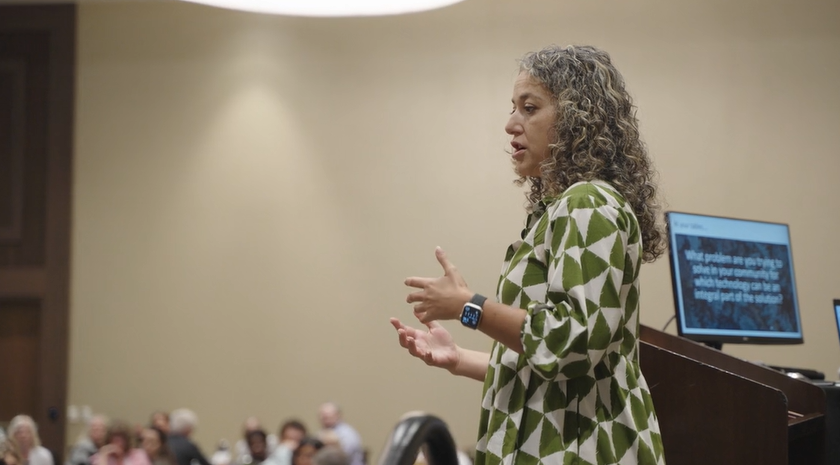
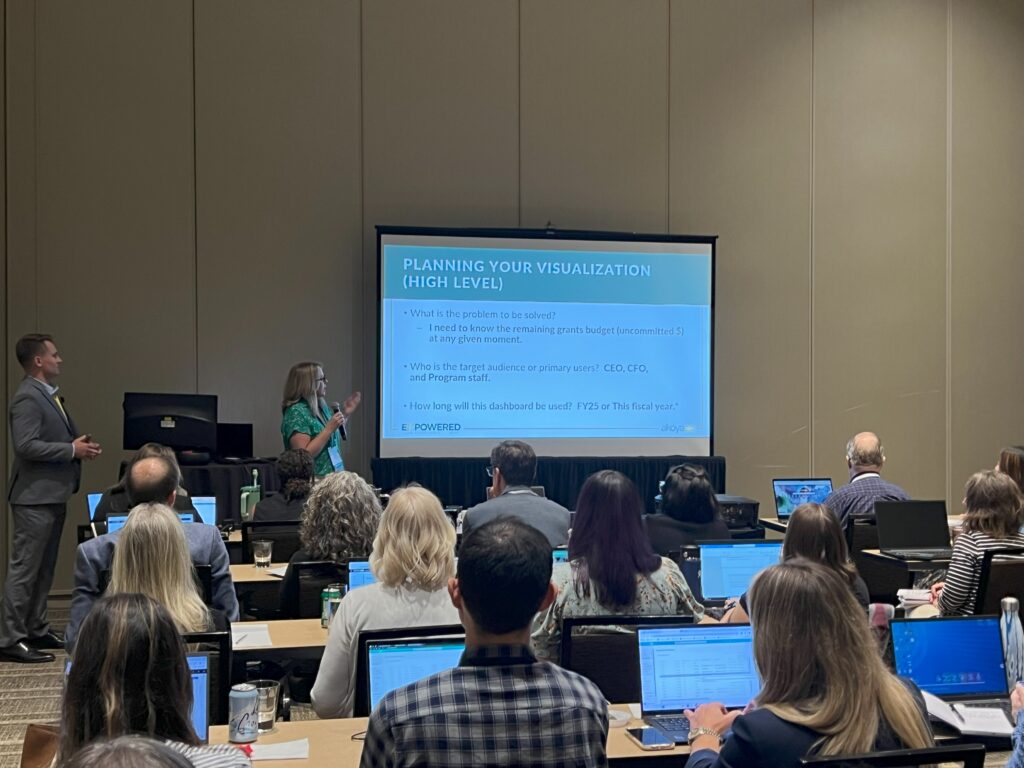
Are you leveraging akoyaGO in a way that’s driving real change for your foundation? We’re seeking clients to share their experiences with specific features and functionalities within our breakout sessions. This is an excellent opportunity to showcase how your foundation is using:
We designed our content courses with your staff roles in mind (Grants Managers, Finance Team, Administrators, Donor managers, and new users). We created this chart of suggested courses based on feedback we received from User Groups and interactions with users. These are mere recommendations based on our planned content, we encourage you to choose the courses that you feel will bring you the most value!
THURSDAY JULY 18
Grants Management
Finance and Accounting
Administrators
Donor Relations
New akoyaGO User
9:15 – 10:15
Any session can apply
Any session can apply
akoyaGO CRM for Administrators and Customizers 301
Any session can apply
akoyaGO CRM Basics 101
10:30 – 11:30
GOapply – New Features and Functions
GOdonate – New Features and Functions
Visualize Grantmaking with Power BI
GOdonate – New Features and Functions
GOapply – New Features and Functions
1:30 – 2:30
GOapply – Scholarship Processes
Communications Between CRM and Business Central
Any session can apply
GOfund – New Features and Functions
Any session can apply
2:45 – 3:45
Tailoring the Staff Experience in Power Apps
Visualizing and Reporting Financials in Business Central
Database Maintenance and Data Policy
Any session can apply
Database Maintenance and Data Policy
FRIDAY JULY 19
Grants Management
Finance and Accounting
Administrators
Donor Relations
New akoyaGO User
9:15 – 10:15
Any session can apply
Checks and Balances in Business Central
akoyaGO Automations for Time Savings
akoyaGO Automations for Time Savings
Any session can apply
10:30 – 11:30
GOapply – Advanced Builder
Change Management and Process Review
akoyaGO Email Templates and Communications
akoyaGO Email Templates and Communications
Change Management and Process Review